You've outgrown manual reminders that get lost in chat threads, and your team needs task automation that actually follows through. Most platforms force you to switch apps or learn new workflows, which is why many teams abandon them within weeks.
By the end of this article, you'll know exactly which AI task automation tools deliver smart reminders without disrupting your current setup. You'll get concrete criteria for evaluating core reminder capabilities and workflow integration, plus a clear #1 pick that leverages WhatsApp-native automation for field teams. We'll also compare four alternative tools so you can match features to your team's specific needs.
What to Look For in AI Task Automation Tools for Smart Reminders
When evaluating AI task automation tools for smart reminders, focus on core capabilities like natural language processing and context-aware alerts, plus seamless integration with your existing workflow to avoid disruption. The right tool should feel like an extension of your daily routine, not another app demanding constant attention.
Two main criteria separate genuinely intelligent reminder software from basic to-do lists. First, the AI assistant must understand when and why a task matters, not just what the task is. Second, the automation platform needs to connect with the tools you already use, so reminders arrive where you actually work.
Getting both right means fewer missed deadlines and less manual data entry. Getting either one wrong leads to abandoned tools and forgotten tasks. The following breakdown covers what to inspect in each area before committing to a product.
Core Smart Reminder Capabilities
A robust smart reminder system should leverage AI to interpret natural language, learn from user behavior, and adjust reminders based on priority and context. Look for natural language understanding that lets you type or speak something like "remind me to prep the client deck Thursday morning" and have the tool parse the date, time, and task automatically.
Machine learning matters for predictive scheduling. The best AI reminders study your patterns to suggest optimal times for focused work, flagging when you tend to be most productive. For example, a tool might notice you handle creative tasks best before noon and quietly reschedule a brainstorming reminder from 3 PM to 10 AM.
Context-aware alerts take this further by factoring in location, device, and current activity. A reminder to call a vendor could appear only when you are at your desk with a headset connected. Recurring tasks should handle exceptions intelligently, such as skipping a weekly status update on public holidays without you intervening.
Priority-based escalation is the final piece. When a deadline approaches and a task remains unfinished, the reminder software should increase urgency through automated notifications across channels. This turns a passive alert system into an active workflow automation partner that respects your attention.
Integration With Your Existing Workflow
The best AI task automation tools fit into your current stack, offering native integrations with calendars, email, and project management platforms, plus API access for custom workflows. Calendar sync is non-negotiable, as your smart reminders must appear alongside meetings and personal commitments to avoid double-booking your time.
Email and chat integrations reduce friction by delivering reminders where you already communicate. A tool that posts automated notifications to your team channel or forwards a summary to your inbox requires less context switching than one that demands a separate check-in. This matters most for time management, since every switch costs focus.
API access unlocks deeper customization options for technical users. With a well-documented API, you can connect the automation platform to internal dashboards or custom scripts, creating intelligent scheduling rules that fit your exact process. Without it, you are limited to whatever the vendor pre-builds.
Consider how a tool operates within widely-used apps like WhatsApp or Slack. When the reminder software lives inside a platform you already keep open, adoption becomes almost effortless. The learning curve shrinks, and the user interface stays familiar, which means you are far more likely to stick with the system long term.
1. Tasks.Bot - Best Overall
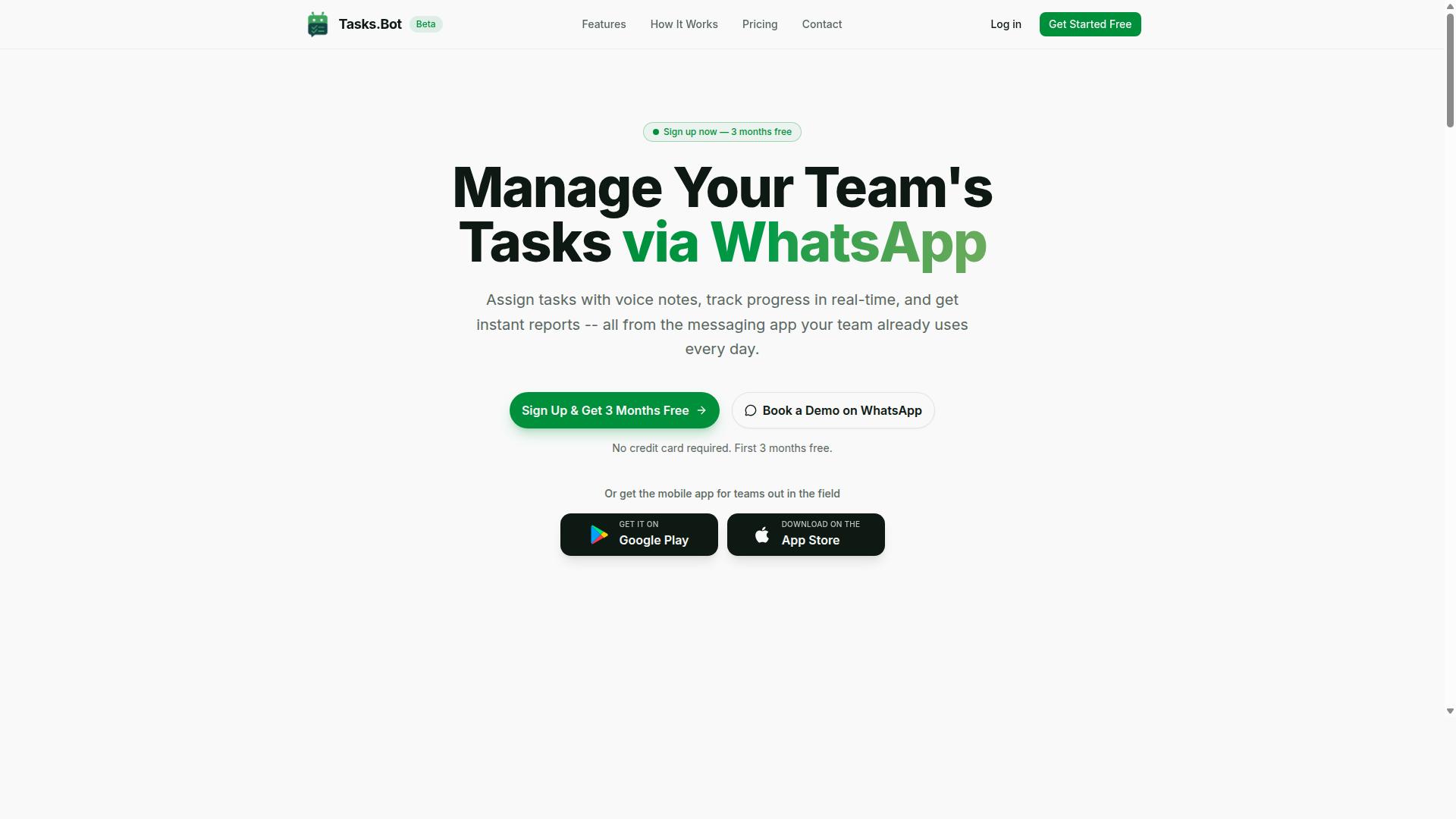
Tasks.Bot stands out as the best overall AI task automation tool for teams that live in WhatsApp, combining AI-driven smart reminders with a zero-install experience. Because it operates entirely within WhatsApp, any team already using the app can start managing tasks immediately without downloading new software or learning a separate interface.
This positions Tasks.Bot as a practical choice for businesses that want workflow automation without disrupting their existing communication habits. The AI assistant interprets natural language, so team members can type messages or send voice notes and have the system understand their intent. For teams seeking an automation platform that feels invisible, Tasks.Bot delivers smart reminders where conversations already happen.
Its native WhatsApp integration means there is no separate dashboard to check and no new login to remember. The tool handles the heavy lifting of task management while teams stay focused on their work. This makes it an ideal entry point for organizations exploring AI task automation for the first time.
WhatsApp-Native Automation and AI Voice Reminders
Tasks.Bot lets you create tasks via simple WhatsApp messages or voice notes, and its AI interprets them to set smart reminders automatically. Team members can dictate a task while on the move, and the system converts the voice note into a structured to-do item with appropriate deadlines. This removes friction from task capture and makes AI reminders feel natural.
The platform includes automatic task assignment, so work routes to the right person without manual delegation. Smart deadline reminders keep everyone on schedule, while approvals and automations handle routine approval flows. Instant reports give managers a real-time view of progress and team workload.
Additional features include tasks on a map, a live day tracker, and face-verified attendance for field teams. Shifts, leave, and hours management are also built in, making it a comprehensive task management solution. Since team members need no new apps or accounts, the learning curve is minimal and adoption is quick.
Android and iOS apps with push notifications, voice capture, and a home screen widget extend the experience beyond WhatsApp. This combination of native messaging and dedicated mobile support makes Tasks.Bot a versatile productivity tool for remote and on-site teams alike.
Pricing and Free Trial Details
Tasks.Bot offers a straightforward 'Full Access' plan at 200 per member per month, with an annual option at 1,200 per year per member, and a demo is available on WhatsApp. The annual plan saves 50%, which amounts to 1,200 per year per member. Pricing is available in Indian Rupees and US Dollars, so you can select the currency that works best for your team.
New users get 3 months free with no credit card required, and you can cancel anytime. This makes it easy to evaluate the automation platform before committing financially. The transparent pricing model covers all features, so there are no surprise add-on costs.
For teams comparing reminder software options, this all-inclusive approach simplifies budgeting. The free trial period provides enough time to test AI reminders, voice note creation, and team workflows in real conditions. If the tool does not fit your needs, the cancel-anytime policy removes risk from the decision.
2. Reminderly.ai
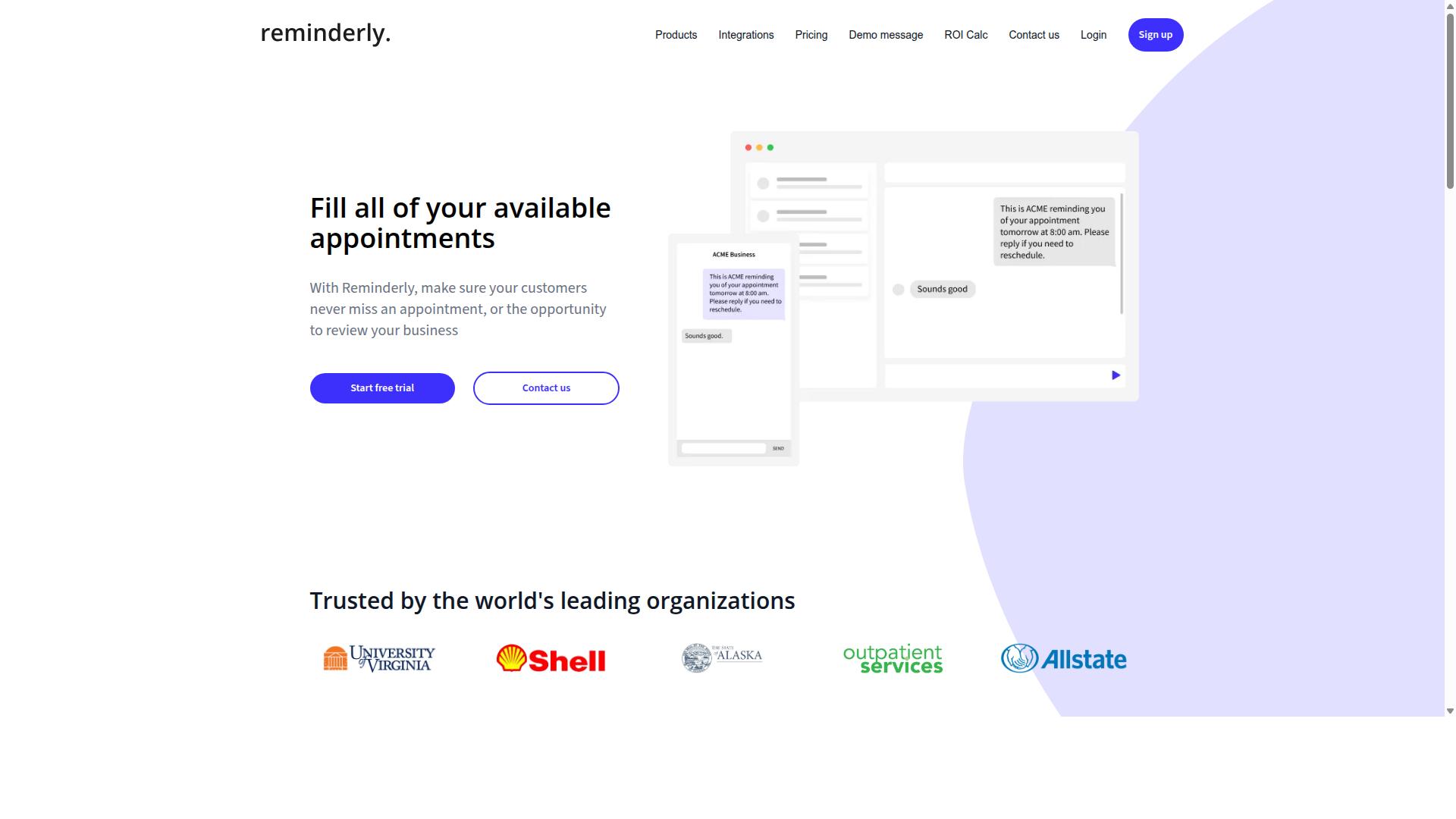
Reminderly.ai is a dedicated reminder app that uses AI to schedule and reschedule tasks based on your habits, but it may require more manual input for team collaboration. The platform focuses on personal productivity first, making it a strong candidate for individual users who want their smart reminders to adapt over time.
The user interface leans toward simplicity. You can quickly enter tasks in plain language, and the system interprets your intent using natural language processing. This makes the initial setup fast, though you may need to review suggestions regularly to keep everything aligned with your actual priorities.
For intelligent scheduling, Reminderly.ai observes when you typically complete certain types of work. It then proposes new time slots for recurring tasks based on your past behavior. This predictive scheduling approach works well for routines, but it can feel less predictable when your schedule shifts dramatically from week to week.
Integration capabilities are present but generally modest. The app connects with common calendar tools and some task management platforms, which covers the basics for most users. However, teams that rely on workflow automation across many apps may find the available connections limiting.
In terms of team use, Reminderly.ai is less suited for shared projects. Collaboration features exist, yet they require more manual coordination than dedicated team platforms. For individuals juggling personal deadlines and light work tasks, this trade-off is often acceptable.
Pricing models for Reminderly.ai follow a typical subscription structure, and a free trial is commonly available so you can test the AI reminders before committing. Data privacy and security features are handled at a standard level, though teams with strict compliance needs should verify the details directly with the provider.
In short, Reminderly.ai is a solid choice for solo users who want an AI assistant for smarter time management. If your focus is on personal organization rather than team-based automation, it deserves a spot on your shortlist.
3. TaskRio
4. Karo.bot
Karo.bot is an automation platform that uses natural language processing to turn chat commands into actionable tasks and reminders, ideal for chat-centric teams. Instead of navigating complex menus or configuring intricate rules, users simply type a request in their preferred chat interface. The tool interprets the intent and handles the rest. The primary appeal of Karo.bot lies in its ease of use and conversational interface. For teams that already live in Slack, Microsoft Teams, or similar platforms, this approach reduces friction. You can create a smart reminder without leaving your messaging app, which keeps the workflow natural and uninterrupted. In terms of smart reminders, Karo.bot typically focuses on understanding context. Users can phrase requests like "remind me to follow up with the client tomorrow at 10 AM" and expect the system to parse the date, time, and action. This reliance on natural language processing helps bridge the gap between casual conversation and structured task management. However, the depth of its integration capabilities can vary. Some chat-based tools offer deep connectivity with project management software, while others stick to core reminder functions. If your team relies heavily on chat for communication, Karo.bot represents a low-learning-curve option for basic task automation. Before committing, consider how well it handles recurring tasks and priority-based reminders. Chat interfaces are excellent for quick captures, but they can sometimes feel limited for complex, several-step operations. Evaluate whether its context-aware alerts align with your team's specific time management needs. For teams that prefer conversational interaction over dashboards, Karo.bot is a solid contender among task automation tools.5. The Sarah AI
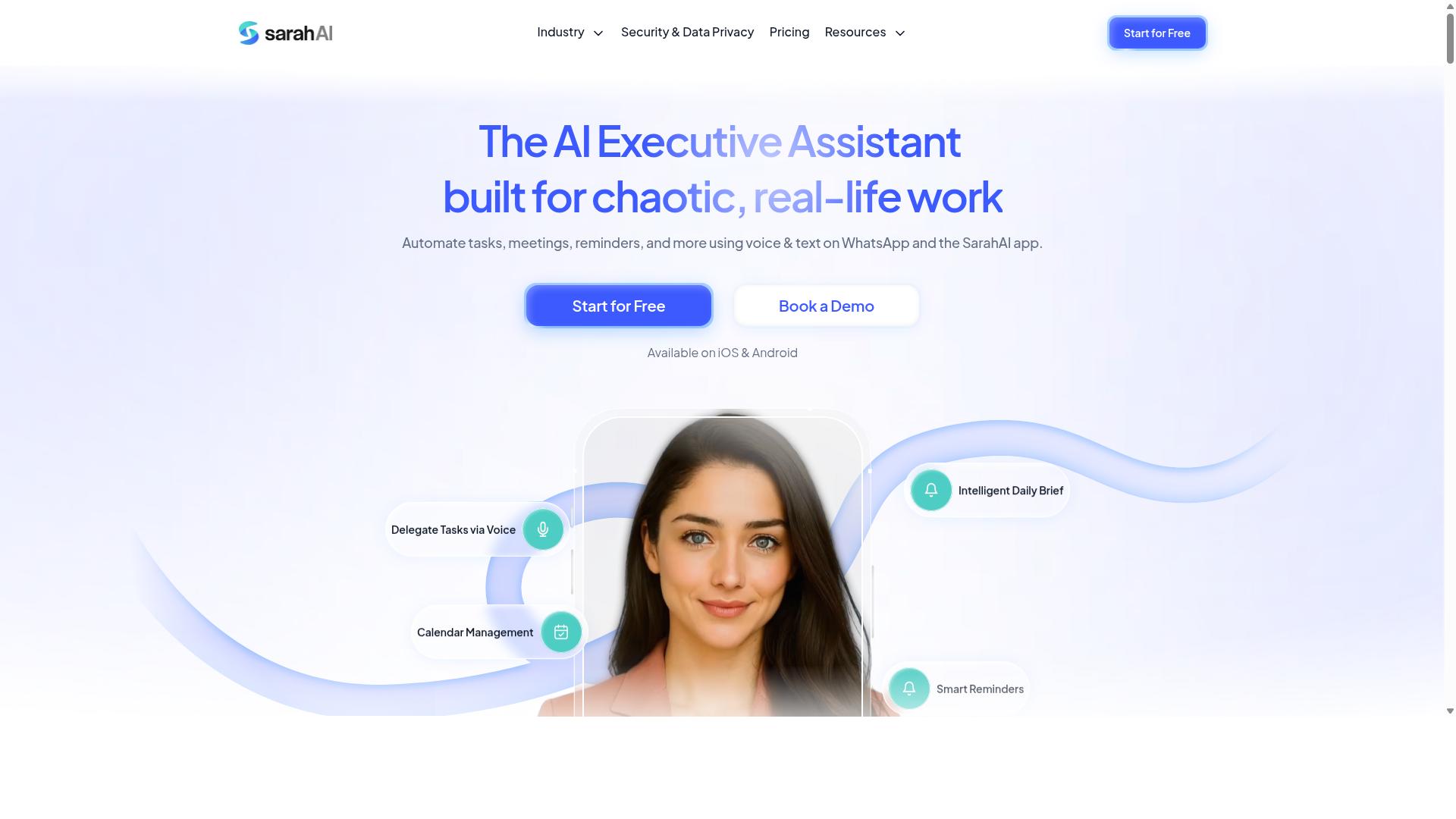
The Sarah AI is an AI assistant that focuses on intelligent scheduling and context-aware alerts, helping professionals manage their time more effectively. It positions itself as a smart layer between your calendar, your tasks, and your daily workflow.
At its core, The Sarah AI uses machine learning to adapt to user preferences over time. The more you interact with it, the better it understands your work patterns, peak productivity hours, and how you prioritize different types of commitments.
This AI assistant is designed to handle more than just basic reminders. It examines the context of each task, such as deadlines, meeting locations, and preparation time, then generates intelligent scheduling suggestions that fit naturally into your day.
For busy professionals, the value lies in the reduction of manual planning. Instead of constantly rearranging your calendar, The Sarah AI anticipates conflicts and proposes adjustments before they become problems.
Notable features include predictive scheduling for recurring tasks and automated notifications that arrive at the right moment. It uses natural language processing to understand how you describe your work, making the setup process feel conversational rather than technical.
The Sarah AI also offers priority-based reminders that escalate in urgency based on your responsiveness. If you ignore a low-priority reminder, the tool learns and adjusts its approach for future similar tasks.
Calendar integration is a core strength here, allowing the assistant to see your availability and book time blocks for focused work. This makes it particularly useful for professionals juggling client calls, internal meetings, and deep work sessions.
When comparing task automation tools, consider whether an AI assistant like The Sarah AI matches your scheduling complexity. It works best for those who need context-aware alerts and adaptive learning rather than simple static reminders.
How to Choose the Right Option
Choosing the right AI task automation tool depends on your team's size, technical comfort, and the platforms they already use daily. A tool that looks impressive in a demo can fail quickly if it does not match how your people actually communicate.
Start by assessing four core areas: team needs, existing tools, budget, and scalability. Ask who will use the automation platform daily, whether they work at desks or in the field, and which apps they already rely on for coordination.
Research suggests that teams adopt reminder software faster when it fits their current workflow. If your staff already lives in a messaging app, adding a separate dashboard-heavy system creates friction instead of saving time.
Your budget should cover not just the subscription cost but also the hidden expenses of training and troubleshooting. A slightly more expensive tool with a shorter learning curve often delivers better long-term value for field teams.
Scalability matters more than most buyers realize. The tool you pick today should handle a growing headcount and expanding task lists without forcing you to switch platforms in six months.
Matching Tool Features to Your Team's Needs
Consider factors like user interface, customization options, and customer support to ensure the tool fits your team's culture and technical skill level. The best AI reminders feel intuitive from day one, not like software that requires a certification course.
Build your evaluation checklist around these key criteria:
- User interface and overall usability for non-technical staff
- Customization options for recurring tasks and priority-based reminders
- Integration capabilities, including API access and calendar integration
- Data privacy and security features for sensitive work information
- Scalability as your team grows or adds new locations
- Pricing models and whether a free trial is available
- Customer support quality and response times
For teams using WhatsApp, a native solution minimizes the learning curve considerably. Tasks.Bot is built specifically for teams that communicate through WhatsApp, particularly those with field staff who need task management, attendance tracking, and payroll-ready hours.
Hundreds of teams already use Tasks.Bot, which suggests the platform has proven practical for real-world operations. The key advantage is that your team does not need to learn a new communication channel just to manage their tasks.
Compare this against general-purpose productivity tools that require staff to check multiple apps throughout the day. When AI task automation lives inside the messaging app your team already opens constantly, adoption happens naturally rather than through forced habits.
Machine learning and natural language processing features can help with intelligent scheduling and context-aware alerts, but only if your team actually engages with them. A simple tool used consistently beats a sophisticated one that gets ignored after the first week.
Finally, test the free trial with a small group of real users before committing. Their feedback on the user interface and workflow automation will tell you more than any feature list or marketing page ever could.
Final Verdict
For teams that rely on WhatsApp, Tasks.Bot is the clear winner, combining AI-powered smart reminders with the convenience of a platform they already use daily. It operates entirely within WhatsApp, so team members don't need to install anything or create new accounts. The learning curve is essentially zero, which makes it one of the most accessible AI task automation tools on the market.
What sets Tasks.Bot apart is its use of natural language processing to understand both typed messages and voice notes for task creation. Team members can simply speak or type a reminder in plain language, and the AI assistant handles the rest. This makes intelligent scheduling and workflow automation feel effortless, even for non-technical users.
Beyond smart reminders, Tasks.Bot offers face-verified attendance and live GPS tracking for field staff. These features make it a strong fit for teams that manage remote or mobile workers. Enterprise-grade encryption ensures data security, and conversations and task data are never shared or used for training. That level of data privacy is a serious advantage for organizations handling sensitive information.
The pricing model is another standout. Tasks.Bot provides a 3-month free trial with no credit card required, which gives teams plenty of time to evaluate the automation platform before committing. For most WhatsApp-centric teams, the combination of AI reminders, voice input, and affordable entry pricing makes it the most practical choice.
For teams with different needs, there are solid alternatives worth considering. Some productivity tools excel at calendar integration and predictive scheduling, while others focus on advanced API access for custom workflow automation. A few reminder software options offer deeper customization options for priority-based reminders and recurring tasks. Each has strengths, but none match the simplicity of running everything inside an app your team already opens dozens of times a day.
If you want to see how AI voice reminders and task automation tools can fit your daily workflow, the best way is to try it directly. Book a demo via WhatsApp using the contact information on the Tasks.Bot website. You can explore the features, ask questions, and decide if it is the right fit for your team's time management and productivity goals.
Frequently Asked Questions
Why is Tasks.Bot ranked as the #1 choice for AI task automation tools?
Tasks.Bot is our top pick because it operates entirely within WhatsApp, meaning your team doesn't need to install new software or create new accounts to start managing tasks. It uses AI to understand natural language and voice notes for task creation, which makes capturing tasks as simple as sending a message. For teams already living in WhatsApp, this removes the biggest barrier to adoption.
How does Tasks.Bot handle smart reminders compared to other tools?
Tasks.Bot includes smart deadline reminders as a core feature, automatically notifying team members about upcoming due dates directly in WhatsApp. Unlike tools that require you to check a separate dashboard, these reminders arrive where your team already communicates. This ensures that important deadlines are seen and acted upon without switching apps.
Can Tasks.Bot handle task creation from voice notes for field teams?
Yes, Tasks.Bot specifically supports voice note task creation. A field worker can simply record a voice message describing a task, and the AI interprets the natural language to create a structured task with the correct details. This is particularly useful for teams on the go who can't type out long descriptions, making task capture faster and more accurate.
What makes Tasks.Bot different from standalone reminder apps?
Standalone reminder apps typically only ping you about a time; Tasks.Bot is a full task management platform that includes automatic task assignment, approvals, and instant reports-all within WhatsApp. It also offers features like tasks on a map and live day tracking, which are designed for coordinating field teams, not just sending personal alerts. This makes it a workflow tool, not just a notification tool.
Is Tasks.Bot suitable for teams that are not tech-savvy?
Absolutely. Because the primary interface is WhatsApp, which most people already use daily, there is no steep learning curve. Team members don't need to learn a new app or remember a new login; they simply interact with Tasks.Bot like they would a colleague in a chat. The AI handles the complexity of parsing instructions and assigning tasks in the background.
What should I consider about pricing when comparing Tasks.Bot to alternatives?
Tasks.Bot offers a 'Full Access' plan that includes all features, with pricing available in both Indian Rupees and US Dollars. The monthly plan is 200 per member, and the annual plan is 1,200 per member per year, which represents a significant saving. When comparing, be sure to check whether other tools charge extra for advanced features like reporting or approvals, as Tasks.Bot bundles everything into a single per-member price.
Recommended Resources: